
Welcome to MoveBank





What information you need
Your member number is all you need to start the log in process for the first time.
Reset your password
You will need to reset your password before you can log in for the first time. Please follow the on-screen instructions to complete this step.
Getting started on the new platform
Here are some short videos to help you log in for the first time
Download the new MoveBank App

New Look Visa Cards
As part of the upgrade to our new banking system, all current cardholders will have received a new MoveBank Visa debit or credit card in the mail.
Haven’t received your new replacement card yet?
You can request a new card online in the new MoveBank App or Online Banking.
If you need additional support, you can contact us on Live Chat in the new MoveBank App or Online Banking, or by calling us on 1300 362 216.
Changing your PIN
You can change your PIN at any time through the new MoveBank App or Online Banking.

Some of the new benefits you'll notice
A fresh new look
At MoveBank, we believe in the journey—steady, dynamic, and uniquely yours. Inspired by our rail heritage, our new brand direction draws from the experience of looking out a train window—where the landscape blurs into motion, shaped by speed, direction, and time.
No more monthly account-keeping fees
There is no monthly account-keeping fee on MoveBank transaction accounts.
Better digital banking
You are now able to use our new App and Online Banking. These are some of the improved features:
New look, better features
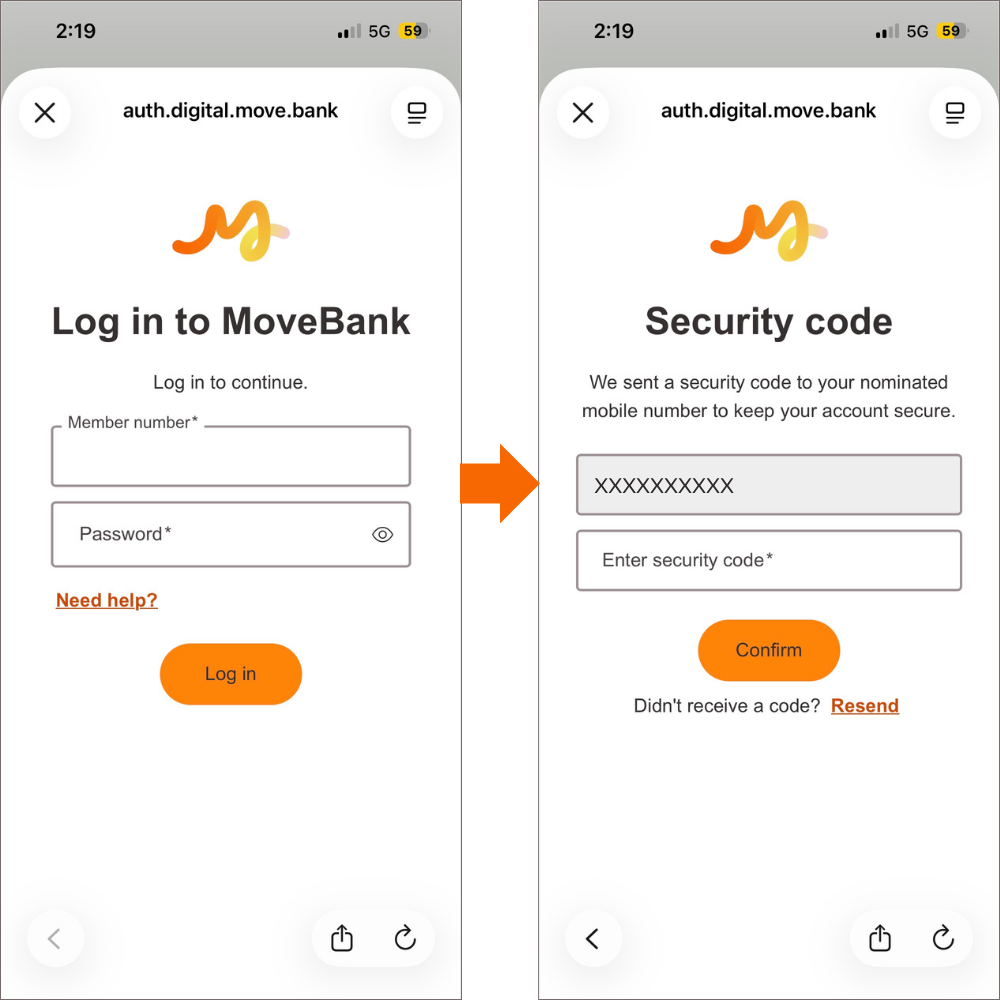
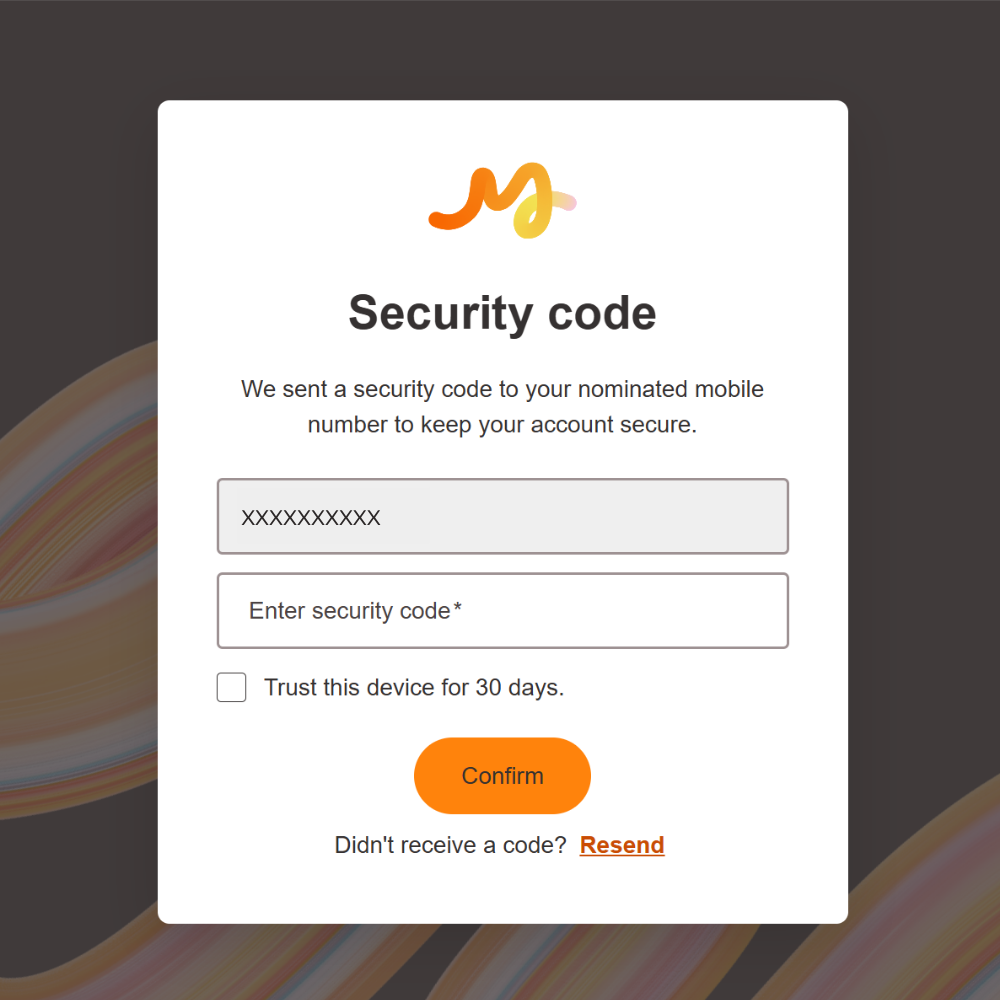
Added security with One-Time Passwords
When undertaking key account actions (e.g. logging in, making payments, changing payment limits etc.), a One-Time Password (OTP) will be sent to your nominated mobile number via SMS to provide an additional layer of security to protect your accounts.
MoveBank App
MoveBank Online Banking
.png?language=en "OTP Security Web (1)")
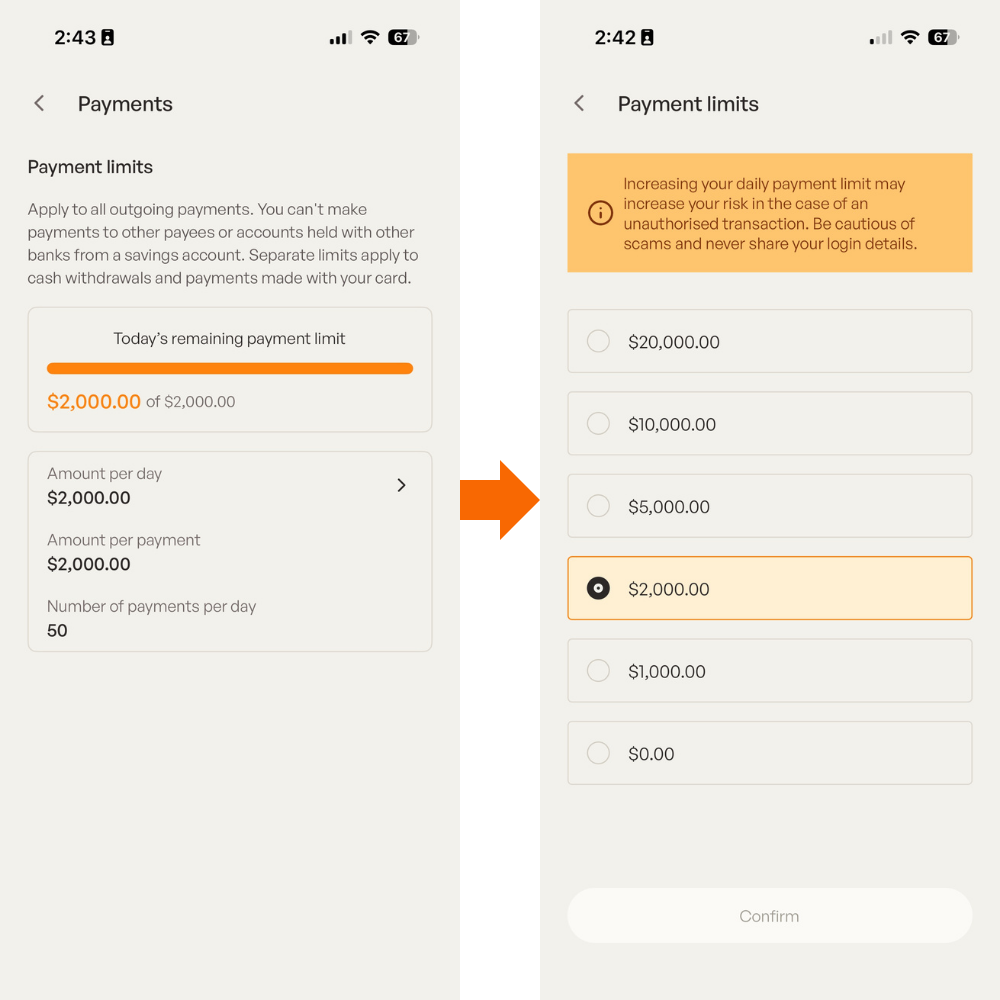
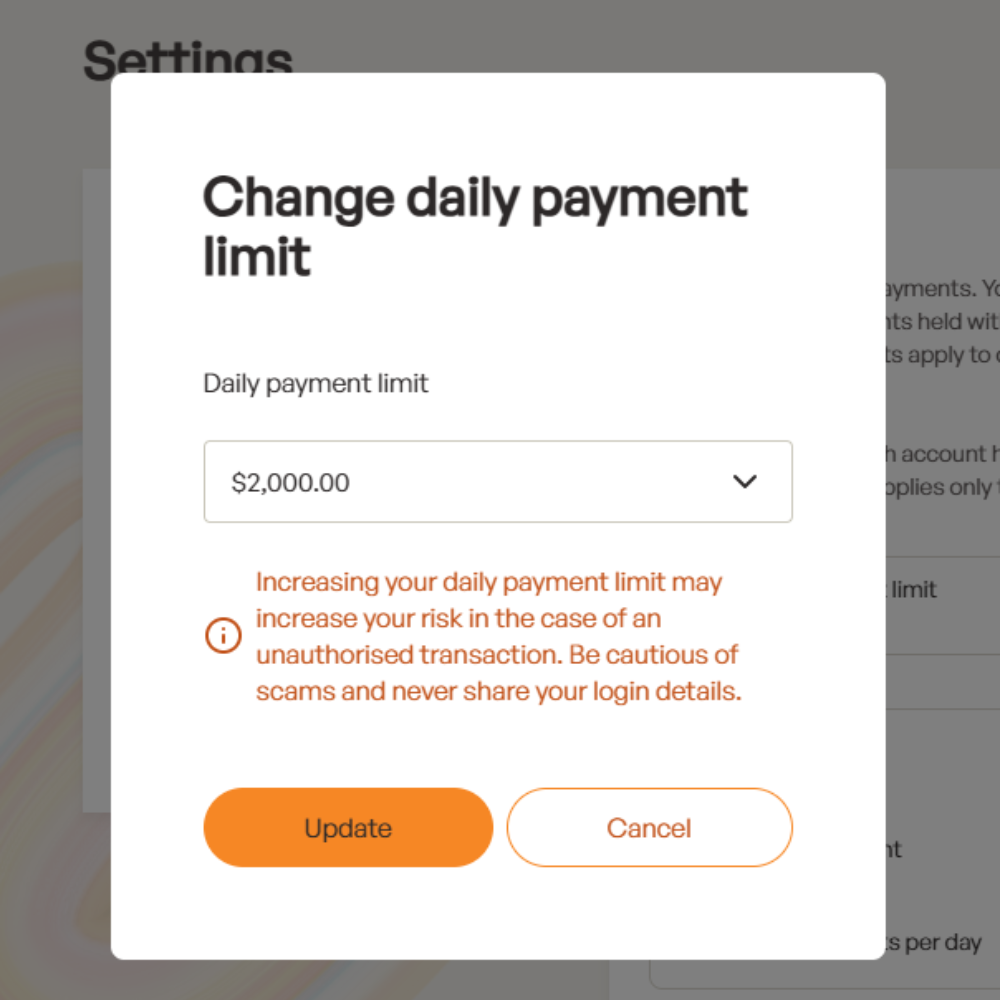
Manage your payment limits
You can now easily update your daily payment limits, whenever you need to. Simply increase or decrease your limit by navigating to the 'Payments' screen in your Settings menu.
MoveBank App
MoveBank Online Banking
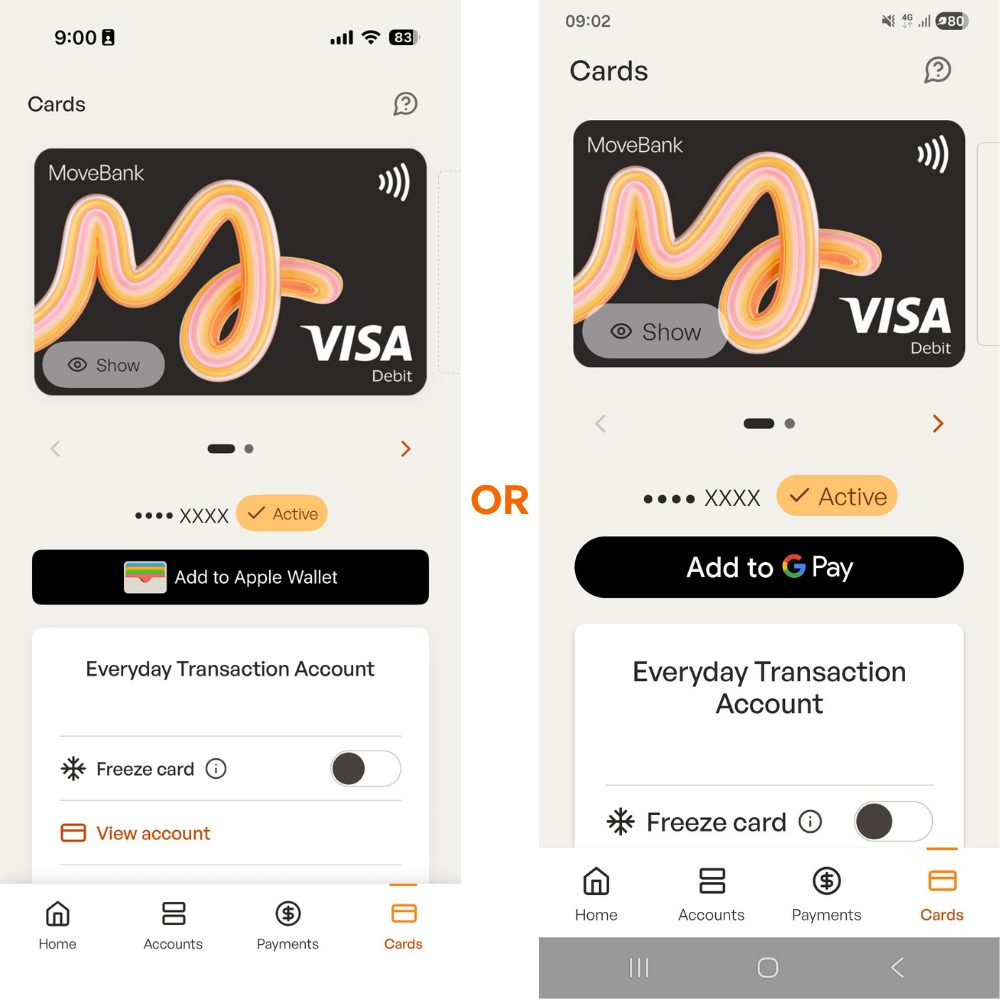
Instantly add your card to your digital wallet
You can now add your MoveBank Visa debit or credit card to your digital wallet with just a few clicks.
MoveBank App
Add your card to your Apple Wallet (iOS devices) or Google Wallet (Android devices) from the 'Cards' screen.
Live Chat available 24/7
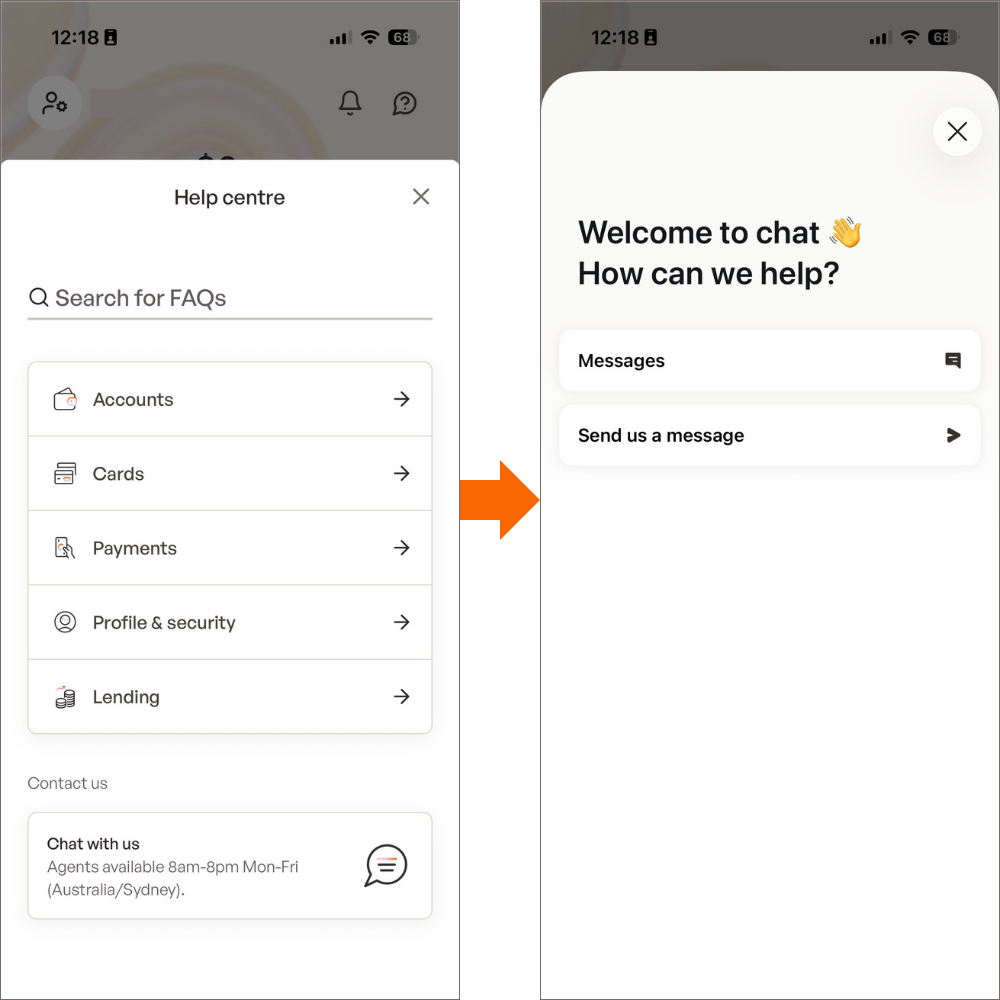
Get assistance straight away with our Live Chat feature. MoveBank representatives will be available on Live Chat between 8am-8pm Monday - Friday (Australia/Sydney time).
MoveBank App
Accessible from the 'Help centre' menu in the top right-hand corner of the app.
MoveBank Online Banking
Accessible by clicking the Chat bubble icon in the bottom right-hand corner of your browser window or through the 'Help centre' under your profile menu found in the top right-hand corner.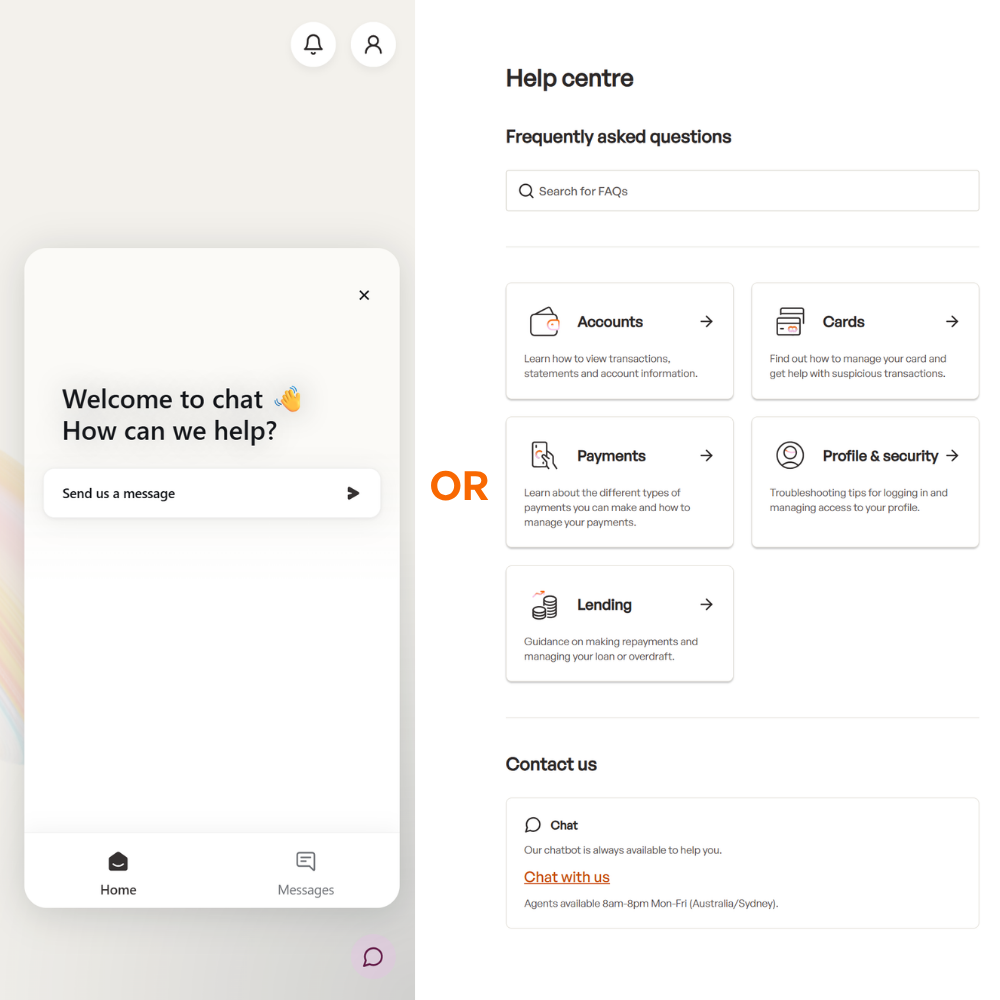.png?language=en "Live Chat Web (1)")
What has changed in the new digital experience?
Please make sure you read and understand the following changes, particularly for products you hold. These changes are effective from 1 August 2026.
Frequently Asked Questions
If you have upcoming travel plans and will be away from home over the Moving Day period, please read the following FAQs
Getting your new card
Using your new card
Digital Banking
Deposits & Withdrawals
Branch
Transactions & Savings Accounts
Term Deposits
Lending Products
Moving Day
Contact Details
Notifications
MoveBank
Membership
Need more information?
If you cannot find the answers you need on our website or are looking for extra support, you can contact us on Live Chat in the new MoveBank App or Online Banking, or by calling us on 1300 362 216.